Grok Bot Use Cases

A directory of real Grok Bot use cases and installable Grok Bot templates for Personal and Business work, sorted by popularity and updated daily.

Sponsored All categories presented by Your brand here, request pricing

All Grok Bot templates and use cases

AI agent use cases, each with a real example.

AI assistant use cases and ready-made bot templates. Switch between Personal and Business below, then narrow it down by subcategory. Each template links to its official Grok Bot marketplace page, where you can install it. You review the result before anything gets sent, bought, or canceled.

If you want to make money with Grok Bot, read the practical side-work guide or start with Business: Investment Analyst and GTM & Sales. They cover investment research, lead research, outreach and proposal drafts, and resale listings. What you earn still depends on your own clients, pricing, and effort. For more examples by category, see the guide to AI agent and AI assistant use cases.

Sponsors

Sponsor Grok Bot Use Cases

Reach people who are actively looking for AI use cases they can put to work. Three placements are available. Request pricing and availability and you will hear back directly.

In context

Use Case Spotlight

A written use case that shows how your product fits into a real workflow, published alongside the others.

  • One worked example, reviewed with you
  • Lives in the use case grid
  • Labeled as sponsored
Request pricing
Direct reach

Newsletter / X shoutout

A mention in the newsletter or a post from @botusecases that points people to your product.

  • Short write-up in plain language
  • Link to your site or offer
  • Disclosed as a paid mention
Request pricing

We aim to clearly mark paid placements as Sponsored. Open ad slots are marked Ad space around this page, and each one links to the pricing request form. Sponsorship is kept separate from how independent use cases are written and ranked.

Share yours

Share your Grok use cases

Tell us what you run, what it saves you from doing by hand, and anything that tripped it up. Follow @botusecases on X to see new examples as they go up.

FAQ

Questions about Grok Bot use cases

What are Grok Bot use cases?

Grok Bot use cases are the everyday jobs people hand to Grok Bot, an AI assistant for desktop and phone that runs tasks, routines, browser work, and connectors. Common examples include a morning briefing, inbox triage, outreach drafts for sales, content research, and travel planning. On this site they are sorted into Personal and Business, each with its own page, and the AI agent and AI assistant use cases guide walks through real examples by category.

What are Grok use cases?

Grok use cases are the jobs people use Grok, xAI's AI assistant, for, such as answering questions, writing, and research. Grok Bot is the xAI assistant for desktop and phone that goes a step further and runs tasks, routines, and browser work for you. This site focuses on the Grok Bot side: each example describes a specific job, what the bot does, and what you review at the end. Start with the AI agent and AI assistant use cases guide or browse Personal and Business.

What are AI use cases?

AI use cases are specific, repeatable jobs where AI does part of the work, such as sorting email, planning a budget, or watching competitor pages. The useful ones have a clear input, a clear output, and a person who reviews the result. See Inbox Tidy, Budget Coach, and Competitor Watch for real templates, or browse Relationships, Kids, and Shopping.

What are AI agent use cases?

AI agent use cases are tasks where the AI takes several steps on its own, such as opening websites, reading pages, filling in details, and reporting back. Examples include watching listings for a car (Car Deal Scout), checking how AI search tools describe your brand (AI Search Visibility), and walking through a subscription cancel flow with your approval (Karen the Canceller). The AI agent and AI assistant use cases guide lists more by category.

What are AI assistant use cases?

AI assistant use cases are jobs where the AI helps a person prepare, decide, or write, while the person stays in charge of the final call. Examples include a daily briefing (Daily Briefing), call follow-ups (Call Follow-Ups), and prep for meetings and interviews (Executive Assistant). Find more in the AI agent and AI assistant use cases guide.

How can I make money with Grok Bot?

Grok Bot does not earn money on its own, and this site makes no income claims. The realistic path is paid work you find yourself, where a bot does the research and first drafts, such as lead lists for freelance clients, proposal drafts from job posts, resale listings, or newsletter drafts. Read the guide to making money with Grok Bot for templates that fit each kind of work, or start with the Business subcategories Investment Analyst and GTM & Sales. You can also browse every GTM & Sales template on one page. You still find the clients, set the prices, check every result, and follow the rules of any site you sell on.

Where can I find Grok Bot templates?

Right here. Every template on this site has its own page with a short write-up and an Install on Grok Bot button that opens its official Grok Bot install page. Search by name at the top of the home page, or browse a category page such as Relationships, Kids, and Shopping. Templates without a confirmed install page are not listed.

What are the best Grok bots?

The best bot depends on the job you want done. For a quick answer, start with the Trending now row at the top of this page. It ranks established templates by engagement on their public source posts on X and mixes in notable new bots. Once a card has enough visitor votes, it is ranked by net votes instead. Open any template to read what it does before you install it.

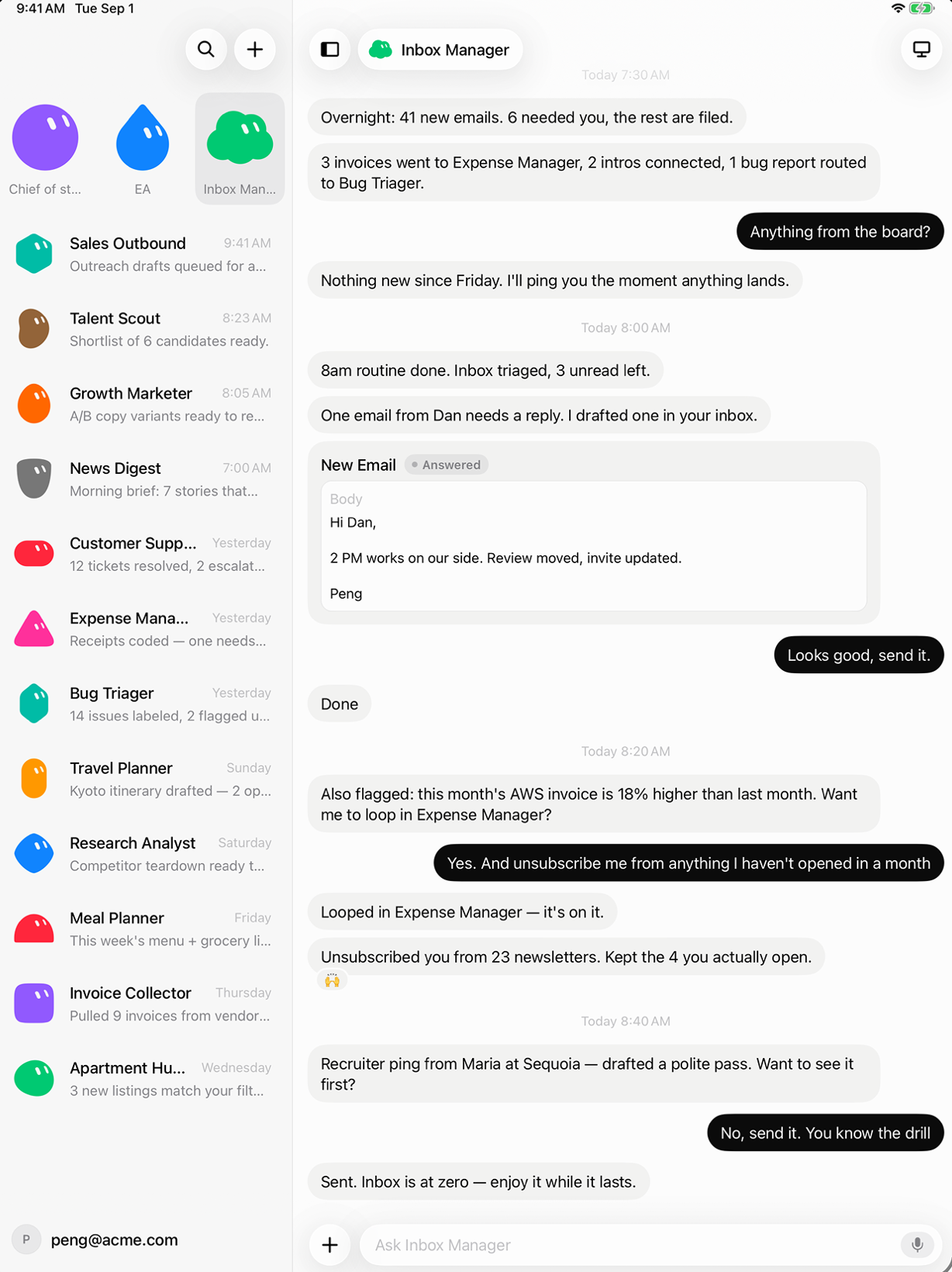
Grok Bot on a tablet. A sidebar lists bots such as Chief of staff, EA, Inbox Manager, Sales Outbound, and News Digest. The Inbox Manager chat reports that overnight email was sorted, shows a drafted reply to Dan marked Answered, and confirms it unsubscribed from unused newsletters.
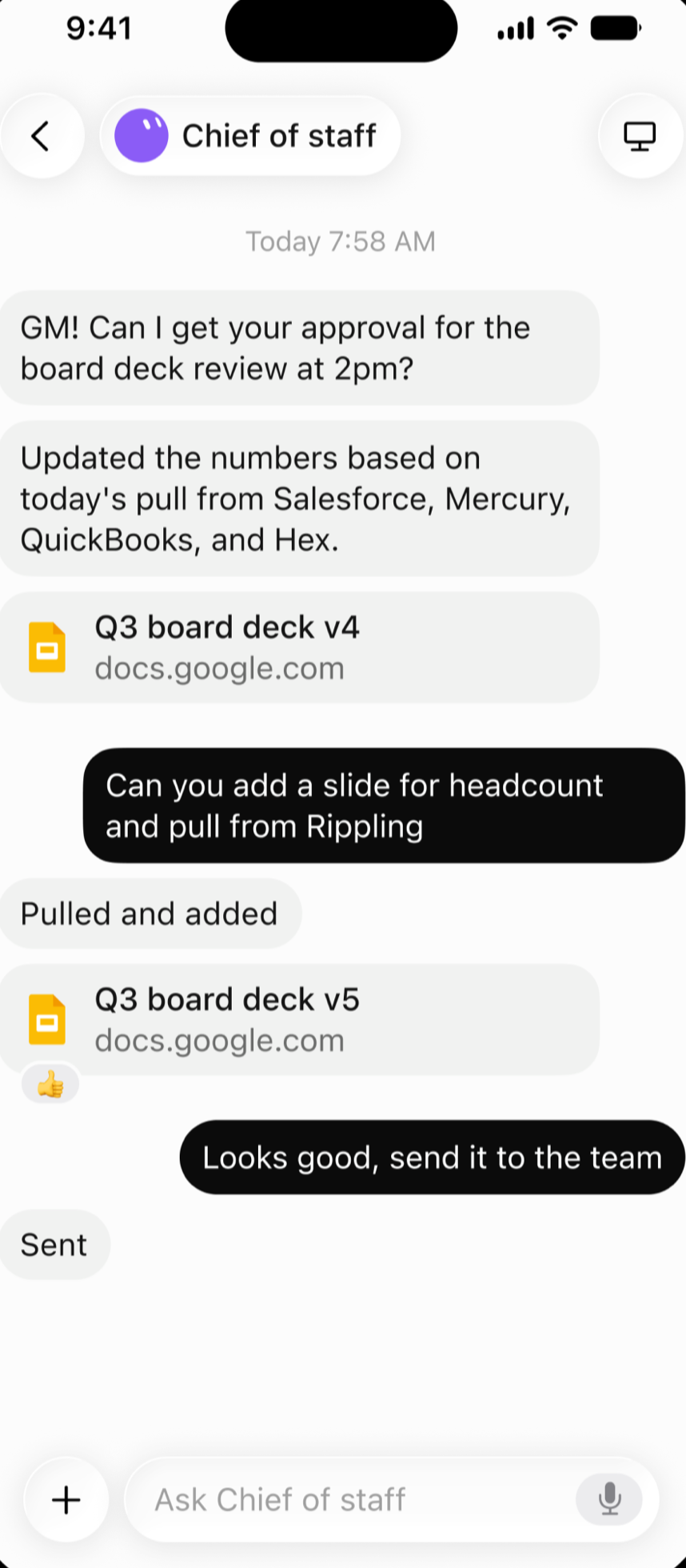
Grok Bot on a phone. In a Chief of staff chat, the bot asks for approval of a board deck review, adds a headcount slide when asked, and sends the updated deck to the team.
Screenshots: Grok Bot (X Corp.), via App Store.